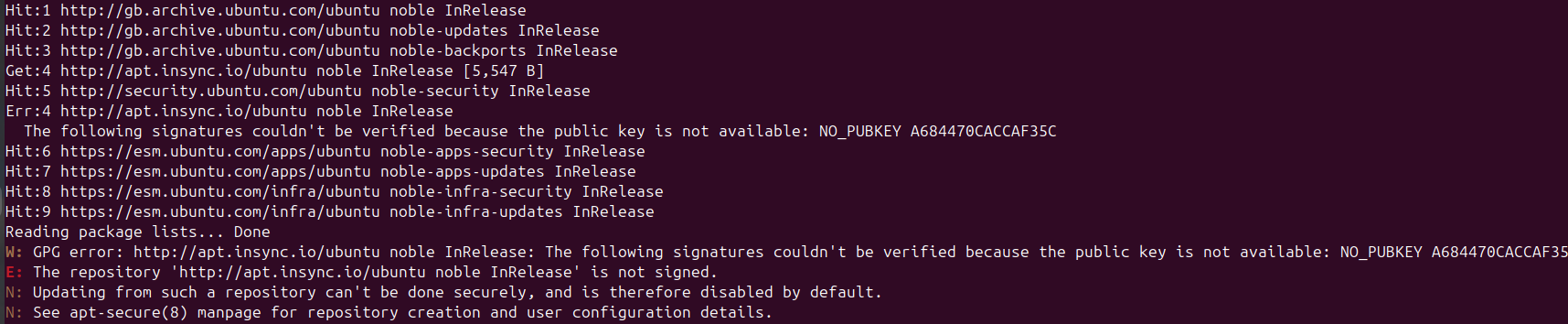
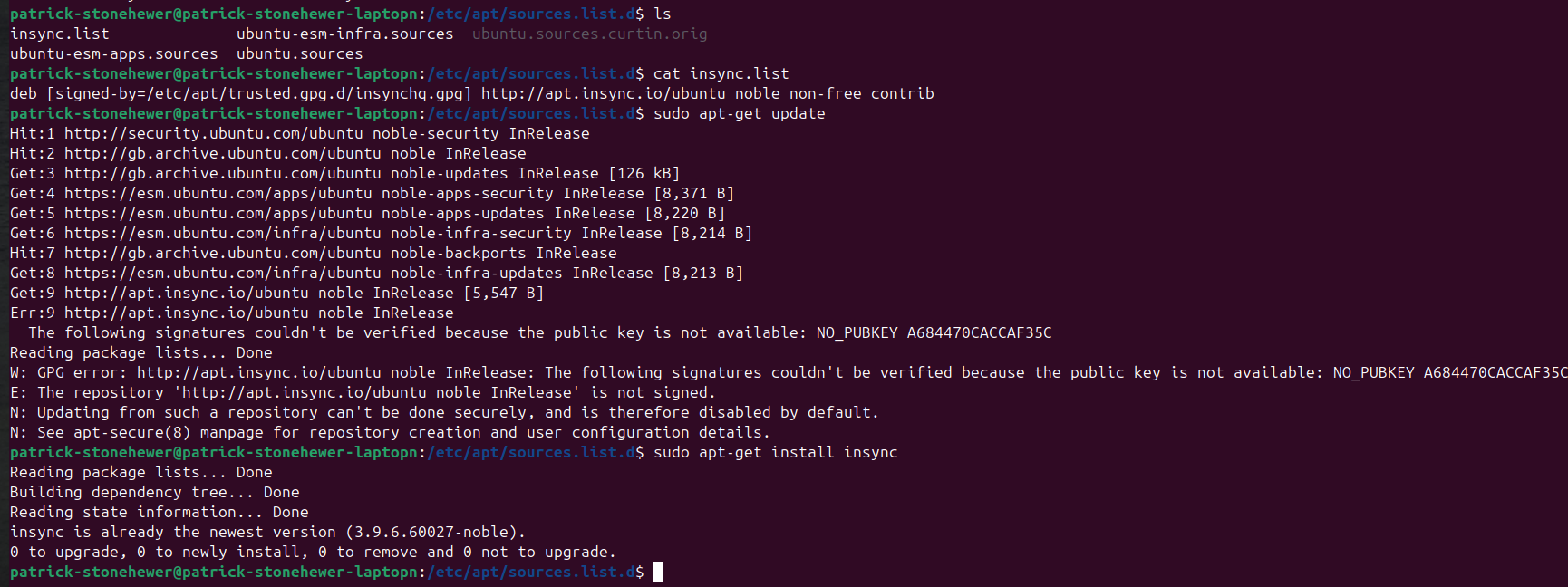
Following a resintall of Ubuntu 24.04.3 (after a disk failure) I have reinstalled insync. It is running well, but there’s an error when I run [sudo apt update] with output as follows
Advice welcome.
…
Err:5 http://apt.insync.io/ubuntu noble InRelease
The following signatures couldn’t be verified because the public key is not available: NO_PUBKEY A684470CACCAF35C
Get:6 Index of /apps/ubuntu/ noble-apps-security InRelease [8,371 B]
Get:7 Index of /apps/ubuntu/ noble-apps-updates InRelease [8,220 B]
…
Reading package lists… Done
W: GPG error: http://apt.insync.io/ubuntu noble InRelease: The following signatures couldn’t be verified because the public key is not available: NO_PUBKEY A684470CACCAF35C
E: The repository ‘http://apt.insync.io/ubuntu noble InRelease’ is not signed.
N: Updating from such a repository can’t be done securely, and is therefore disabled by default.
N: See apt-secure(8) manpage for repository creation and user configuration details.
I am wondering whether I should deinstall insync and reinstall again - I had tried this before contacting you but with the same result. So wondering if the deinstall wasn’t 100% clean in some way?
Hi Mia
The deinstall and reinstall did work, thank you, but only after I removed insynch.list from /etc/apt/sources.list.d/
Hopefully that’s the end of the matter.
Thank you for your help throughout