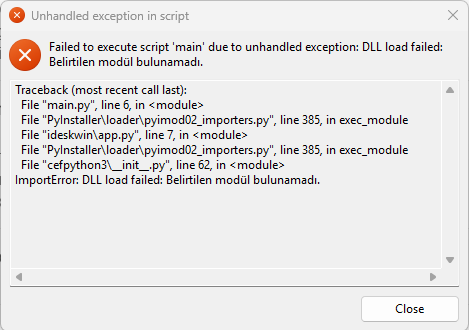
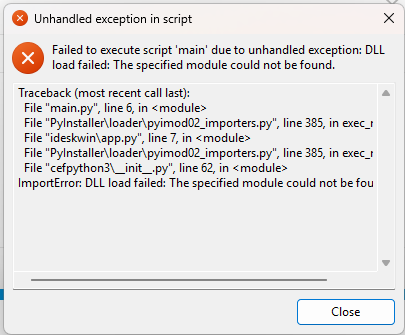
After the last Windows 11 update, Insync seems not to start.
“Traceback (most recent call last):
File “main.py”, line 6, in
File “PyInstaller\loader\pyimod02_importers.py”, line 385, in exec_module
File “ideskwin\app.py”, line 7, in
File “PyInstaller\loader\pyimod02_importers.py”, line 385, in exec_module
File “cefpython3_init_.py”, line 62, in
ImportError: DLL load failed: The specified module was not found.”
Just adding a “me too” to this list. It was running fine before Win11 Update version 23H2 (OS Build 22631.6199)
Exact same symptoms.
I’ve tried uninstall/reinstall. I’ve tried administration mode. Copilot and I have spent an afternoon trying various things. Everything has failed.
Lewis
i got it to work for the moment. I turned wifi off, ran the install program again. When it tried to open the webpage to login to my google drive i turned wifi back on. It logged in without crashing.
Still not a fix, but it might help diagnose the problem.
ok, i got a reproduceable temp fix.
Uninstalled 3.8.11.50510
turned wifi off
installed 3.8.7.50505
turned wifi back on
everything working currently BUT it does not survive a reboot.
This worked for me. These steps.
Uninstall insync in apps on win 11.
Reboot. No more pop up error.
Search for “insync” and delete all instances found. Just not the insync data folder. (But be careful as my insync data folder was gone and not sure at which step it disappeared)
I had a problem with an insync.dll file that was active but finally figured out how to deactivate and delete.
Then I downloaded the earlier version and installed ok. Rebooted.
Installed the earlier version and after restoring my most recent backup, insync started up and normal process to get it all sync ed up.
And comes back up no errors after reboot.
This worked for me so hopefully this will work for others having this issue too.