I’d like to report another strange behavior related to OneDrive accounts in Insync.
I removed my OneDrive account from the Insync app using “Remove account”, following the official instructions described here:
Initially, the account does get removed correctly. However, after some time — and I believe especially after rebooting the PC — the same OneDrive account reappears automatically in Insync, without me adding it again or performing any action.
At that point, Insync behaves as if the account were still configured.
Has anyone else experienced this?
Is there any additional step needed to fully and permanently remove a OneDrive account on Linux?
Thanks, Mia. How should I reinstall Insync?
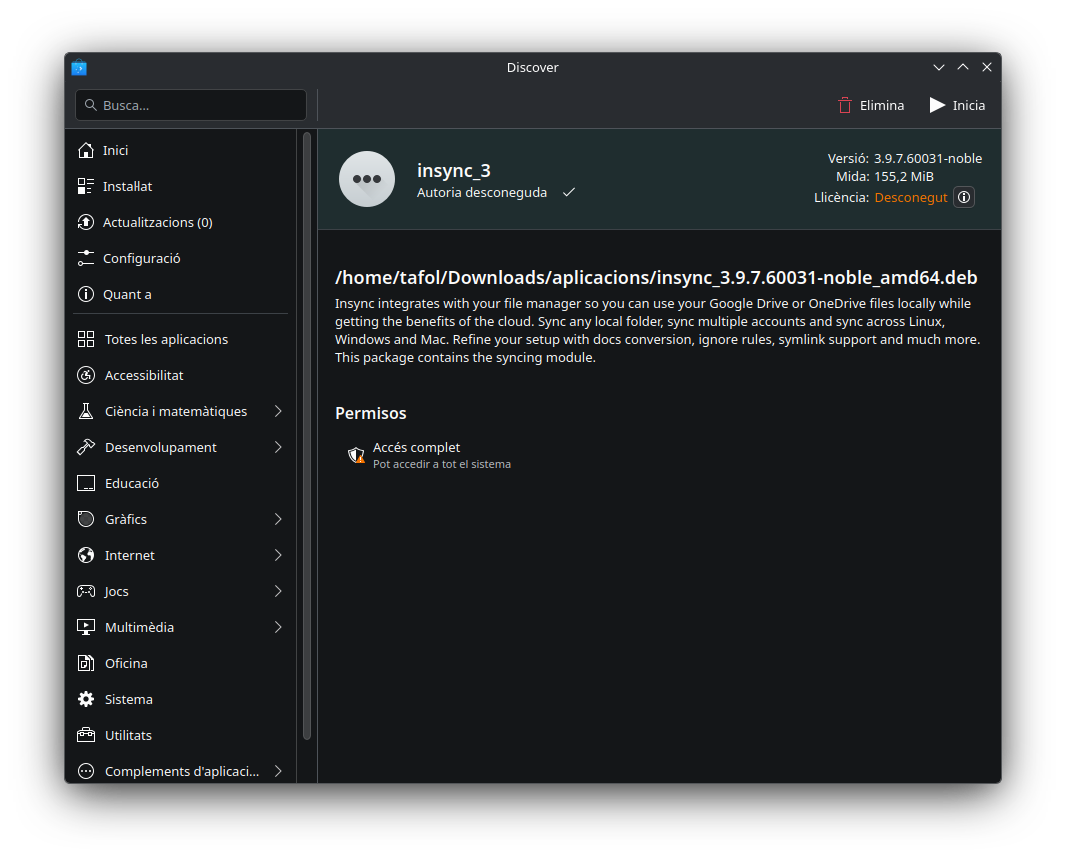
As you can see in the attached Discover screenshot, when I open the .deb file it says that Insync is already installed and doesn’t allow me to reinstall it.
For reference, I’m running KDE neon User Edition (Ubuntu 24.04 LTS–based), with Plasma 6.5.5, Qt 6.10.1, on Wayland.
Thanks, Mia. I had forgotten that Insync was installed via the APT repository, and that the repository is enabled in Discover.
I think the app may have been updated at some point during a system update, and it now seems that the account no longer reappears after a reboot. I’ll keep an eye on it over the next few days to confirm.
I’ll also remain waiting for a solution to the shared folders issue discussed here: